Case Study · Children's Learning App
Designing a playful, all-in-one learning app that kids actually want to open.
KidLearn is a mobile learning companion for ages 5–12. It brings e-books, audiobooks, story libraries, skits, educational videos, quizzes and gamified rewards into one cohesive experience — so children can read, listen, watch and learn without ever switching apps.
Client
KidLearn
Industry
EdTech · Kids 5–12
Service
UI/UX Design
Platform
iOS & Android
Tools
Figma · FigJam · Maze · Principle
Timeline
12 weeks
Problem
The kids' ed-tech space is fragmented and feels like school.
Kids juggle one app for audiobooks, another for reading, another for quizzes. Existing platforms look clinical — blue-and-white, dense menus, no reward to come back tomorrow.
Goal
One joyful app where learning earns visible rewards.
Combine reading, audio, video and quizzes under a single coin-based reward economy. Make every failure kind, every win celebrated, every parent reassured.
Outcome
40+ screens that work as a toy shelf, not a menu.
Onboarding, four content libraries, quiz flow with empathetic states, gamified hub, parent-facing progress report, and a subscription that opens with the gift, not the price.
89%
Onboarding completion rate (vs 52% industry avg)
23 min
Avg session length — 2.1× competitor apps
91%
Quiz completion in prototype testing
+71
Parent NPS in testing sessions
Project Timeline
Twelve weeks from interview to playtest.
01 · Weeks 1–3
Parent interviews, child observation, competitor audit
02 · Weeks 4–6
IA, reward loop modelling, wireframes
03 · Weeks 7–9
Visual language, 3D character system, hi-fi screens
04 · Weeks 10–12
Prototype, usability testing with kids and parents
Design Principles
Six principles that governed every screen.
Joyful by Default
Every screen should feel like opening a gift, not logging into software.
Progress is Visible
Coins, reading %, badges — children and parents can see momentum everywhere.
Failure is Kind
Wrong answers, cancelled flows and quizzes never shame or punish.
Effortless Switching
Moving from a story to an audiobook to a quiz takes one or two taps.
Parents Trust, Kids Own
Subscription and settings live in the parent zone; learning feels like the child's space.
Rewards as Currency
Coins earned through learning unlock games and badges — a self-sustaining habit loop.
Section 1 · Onboarding
First impressions that delight before login.
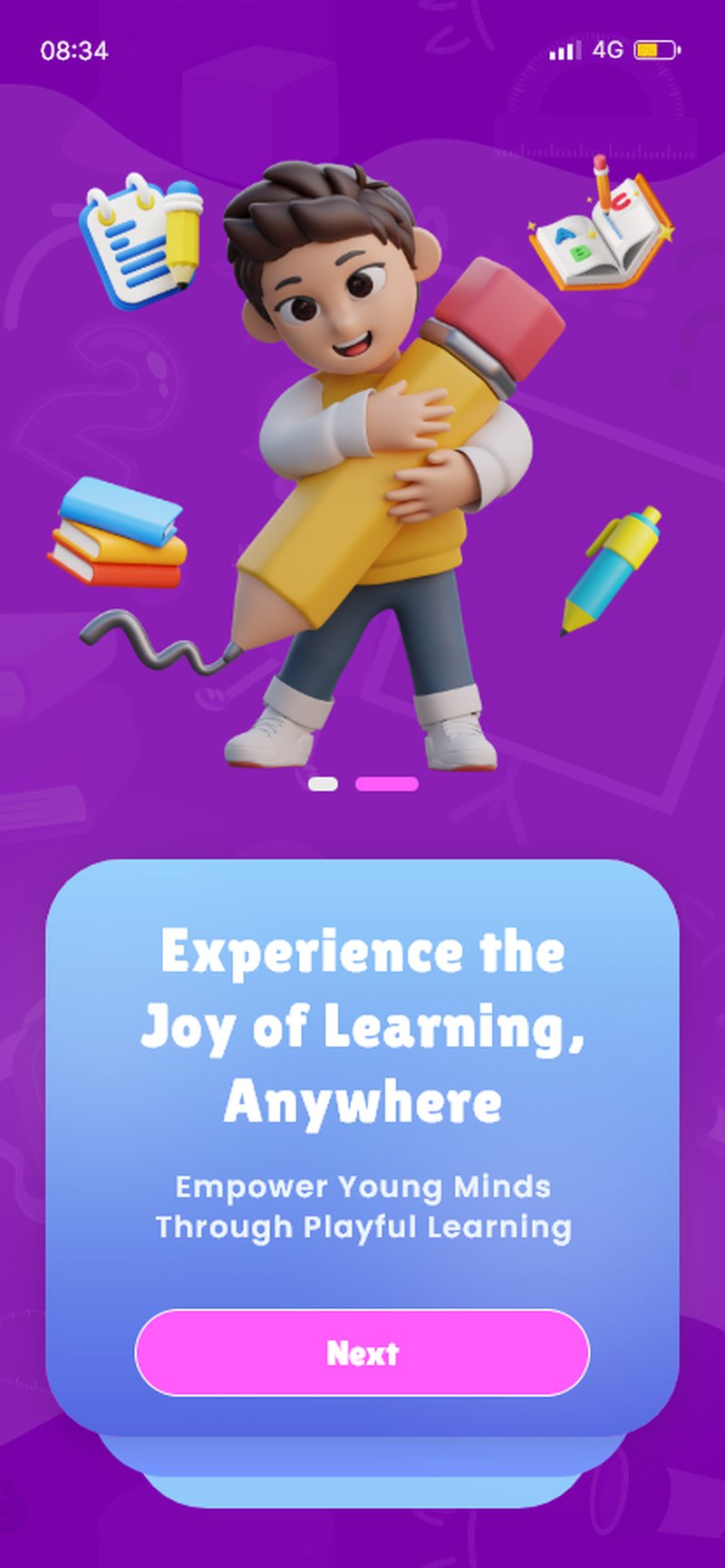
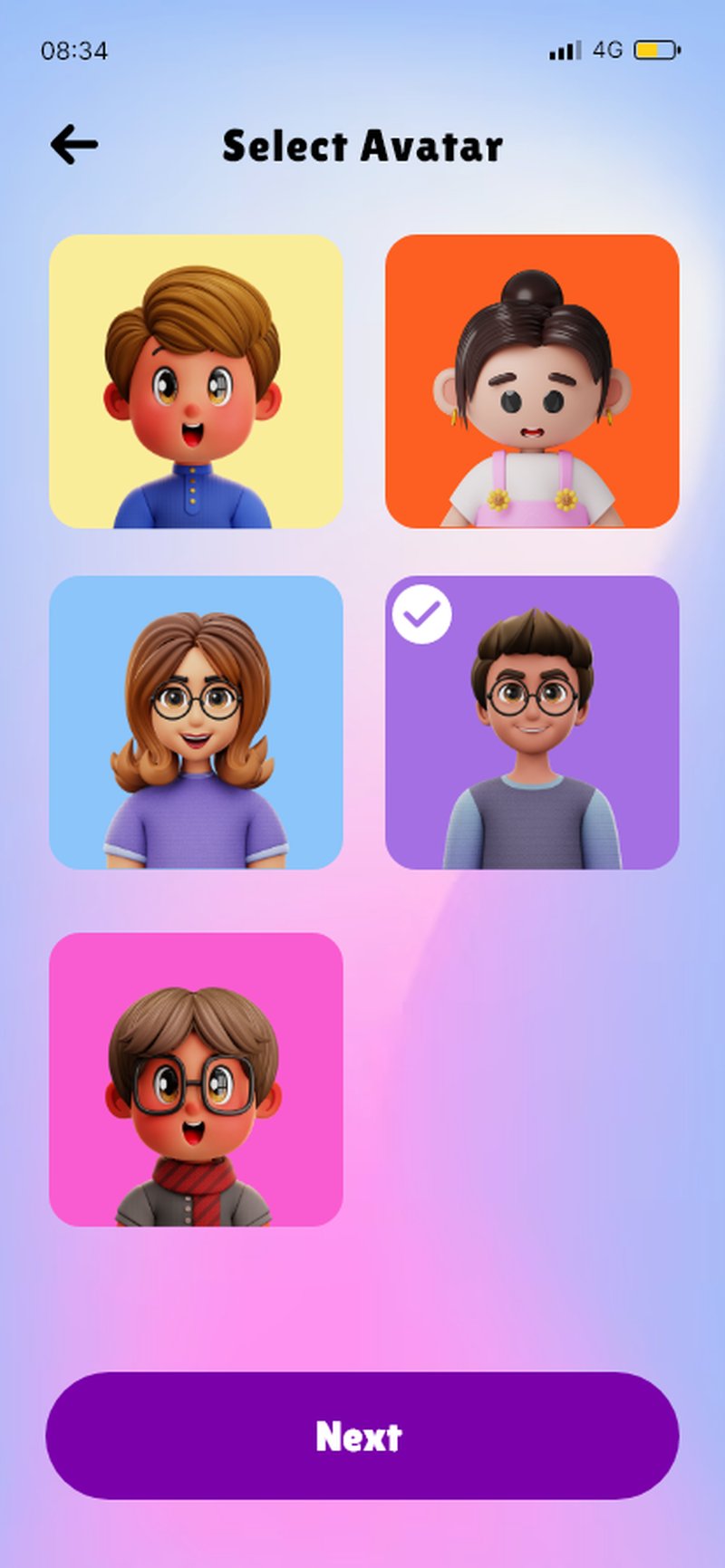
Three high-impact slides max — testing showed completion dropped to 40% at slide four. The 3D character changes pose between slides, making swiping feel rewarding, like flipping pages in a physical book. Avatar selection turns registration into the emotional peak of setup.
Section 2 · Dashboard
Everything a child wants to do next, in the first scroll.
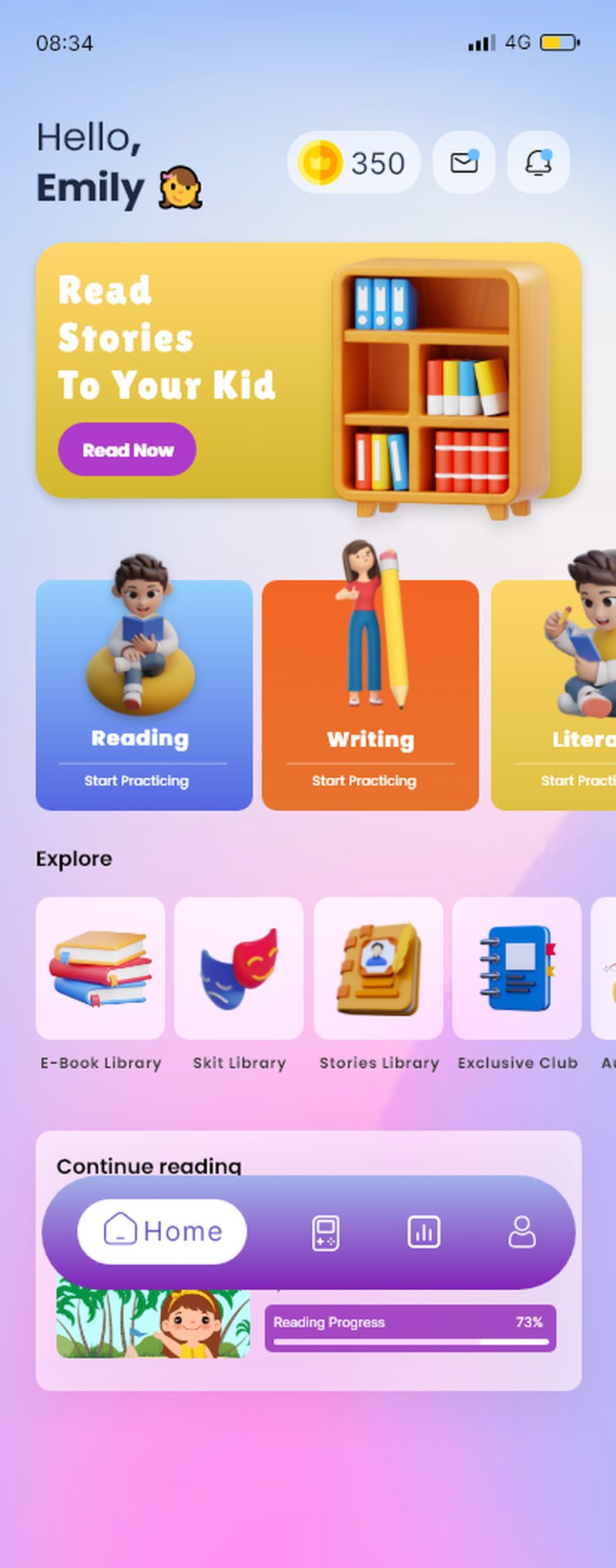
Personal greeting, prominent coin balance, horizontal-scroll learning mode cards (Reading blue, Writing orange, Literacy yellow), a 3D explore strip that reads like a toy shelf, and a Continue Reading card that pulls kids back into their current book with one tap.
- Coin balance always visible. A constant reminder that learning earns rewards.
- Partial third card affordance. The third learning card peeks in — telling kids there's more without a 'scroll' label.
- 3D category icons. Books, theatrical mask, story notebook, headphones — instantly scannable for icon-literate kids.
- Floating pill nav. Dark pill nav overlaps the content so pages feel longer and the nav reads like a controller.
Section 3 · Content Libraries
Four ways to learn, one consistent rhythm.
E-Books, Stories, Audio, Skits and Videos — each library shares structural DNA (featured carousel, continue card, category pills, content grid) but is tuned to its medium. Cover-forward grids for books, list-view for stories, calm full-screen player for audio, edge-to-edge thumbnails for skits.
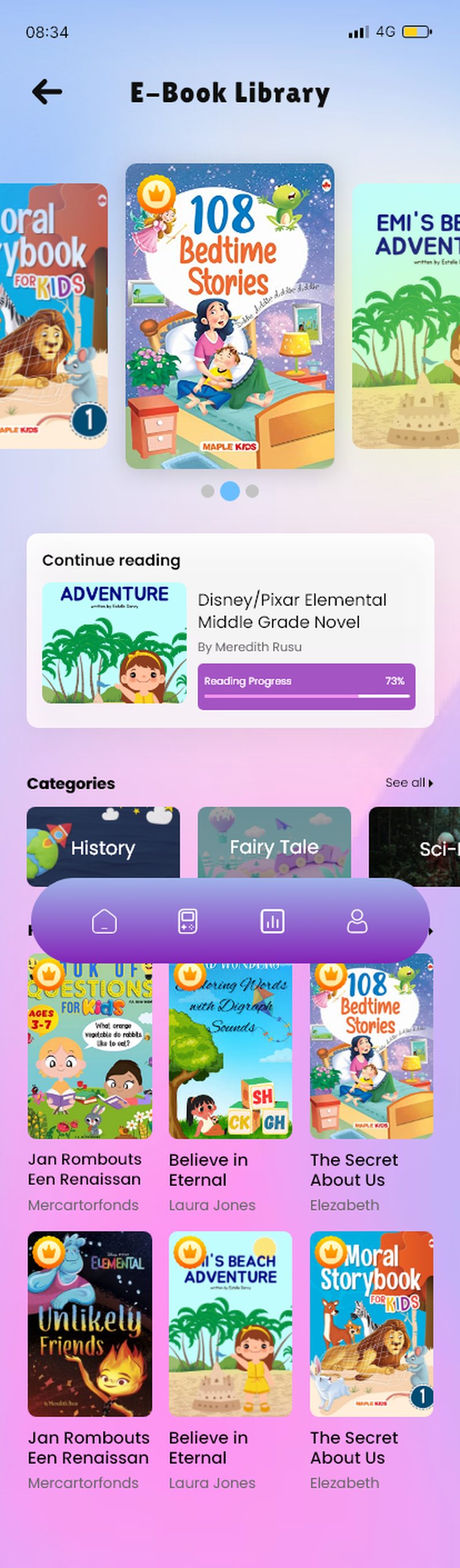
E-Book Library
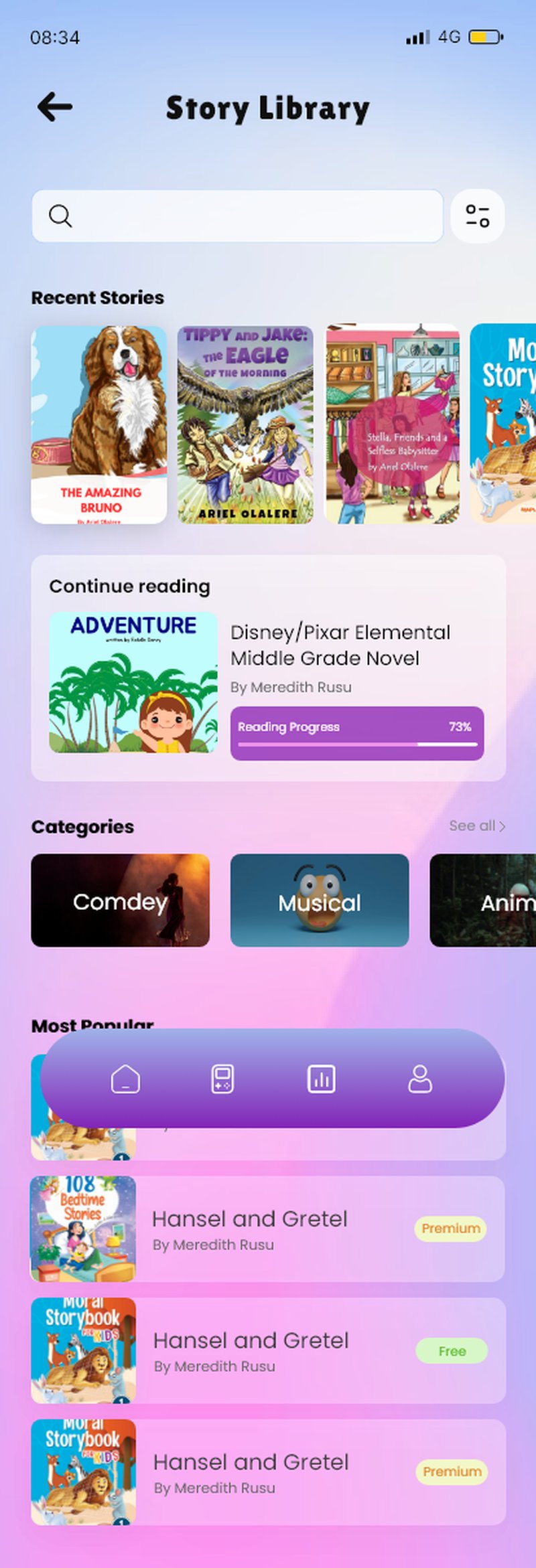
Story Library
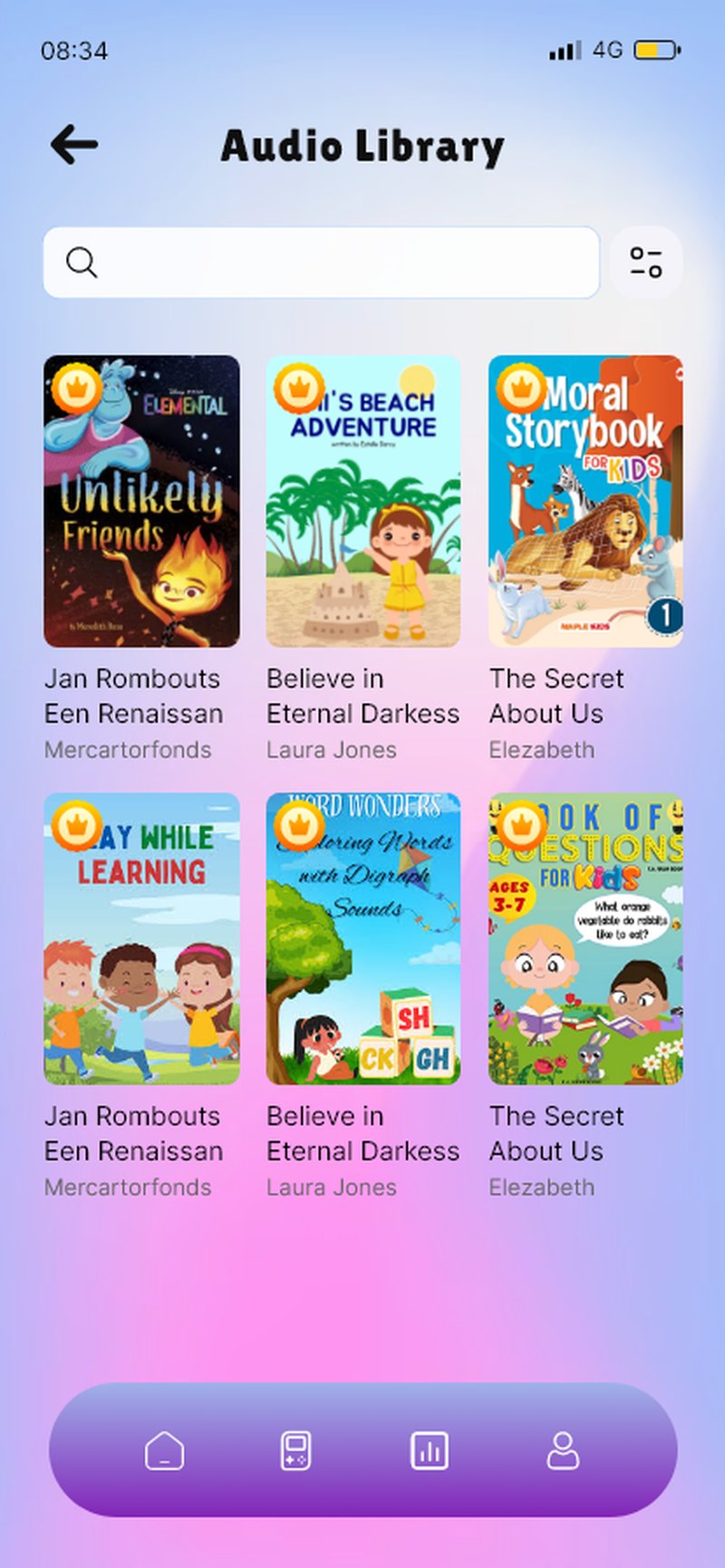
Audio Library
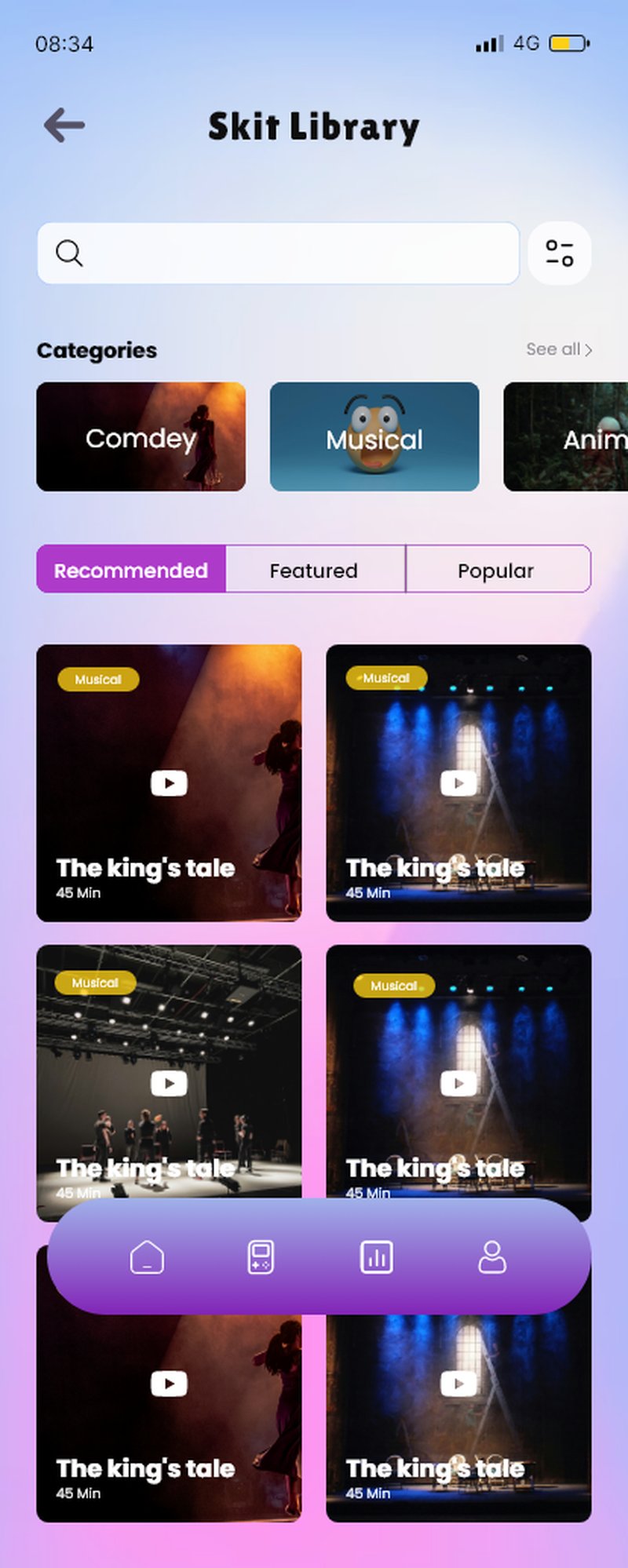
Skit Library
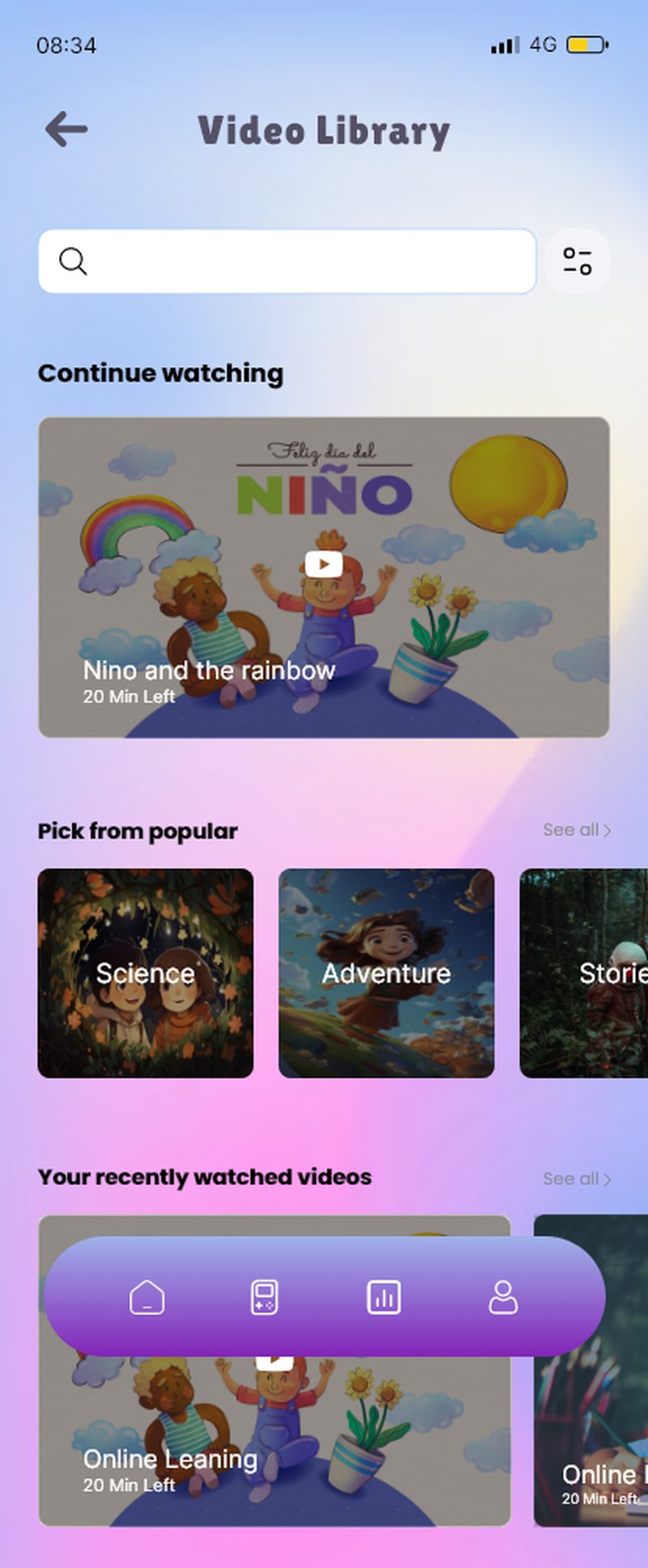
Video Library
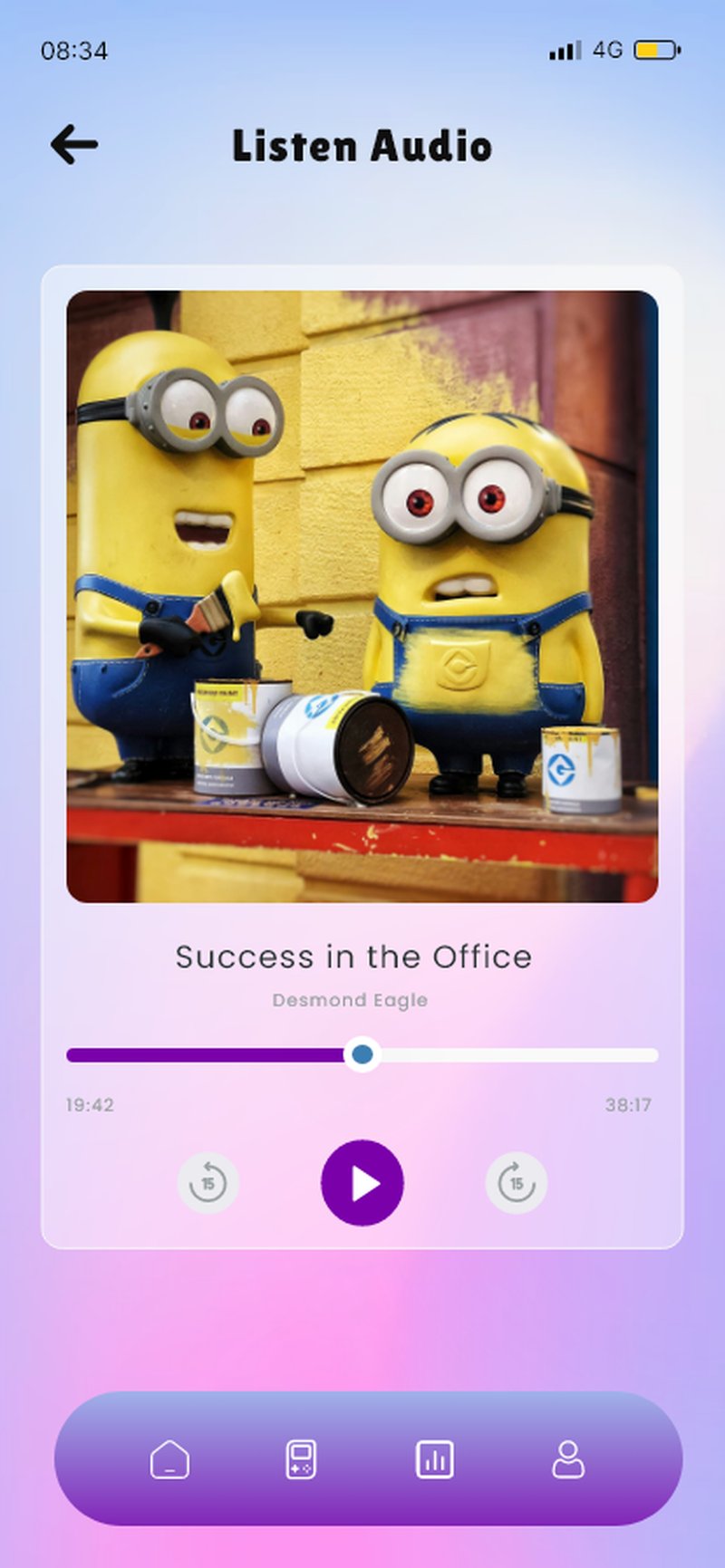
Audio Player
Minimal, calm, distraction-free.
Album art on a large rounded card, purple scrubber, three controls: skip back 15s, play/pause, skip forward 15s. A child listening to a story needs nothing else on screen.
Section 4 · Quiz System
Learning that feels like playing.
The reward is announced before the quiz begins — kids know exactly what they're working toward. Answer states are unambiguous but never harsh. The Winner screen celebrates with a leaping 3D character; the Nice Try screen lets the character cover their eyes — empathy instead of judgement.
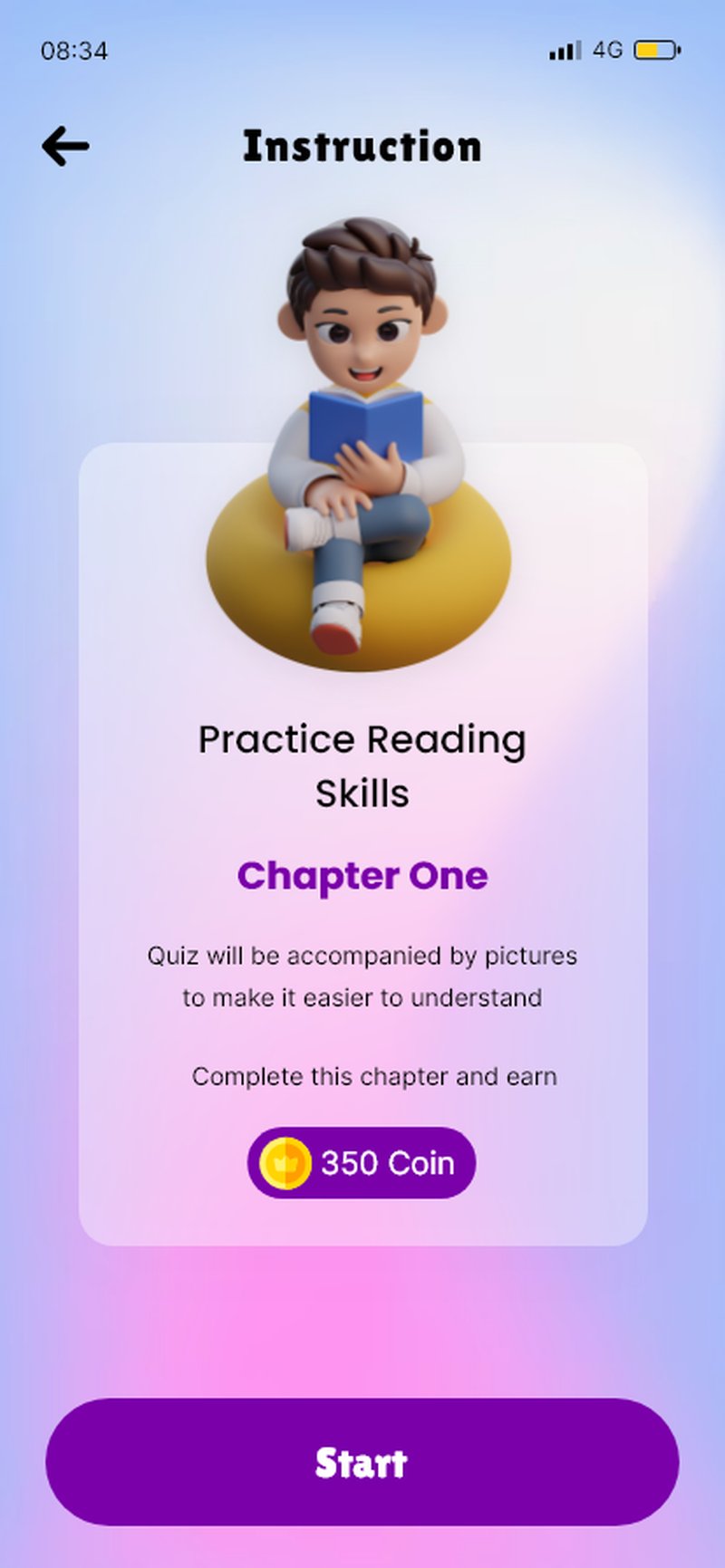
Instructions · reward shown first
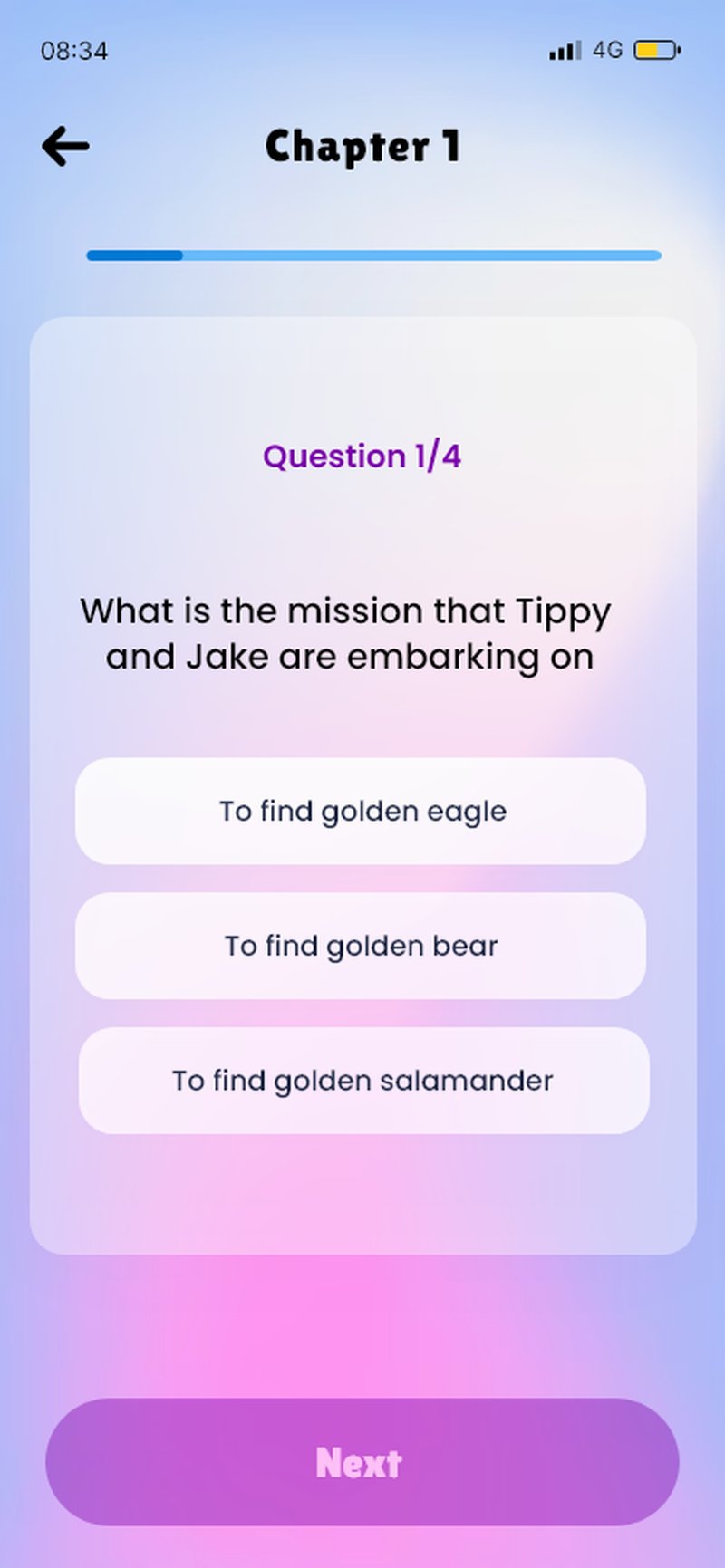
Question · single primary CTA
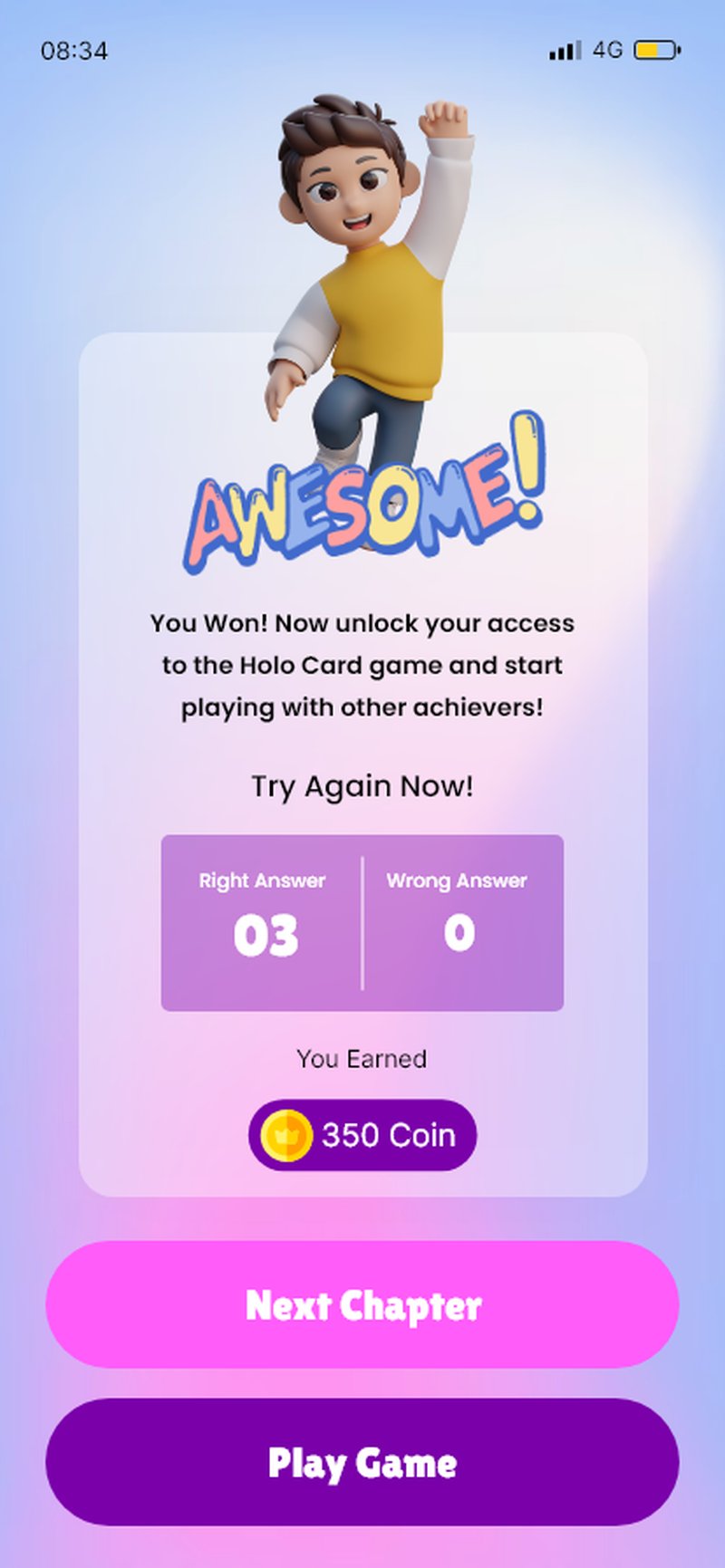
Winner · celebratory 3D pose
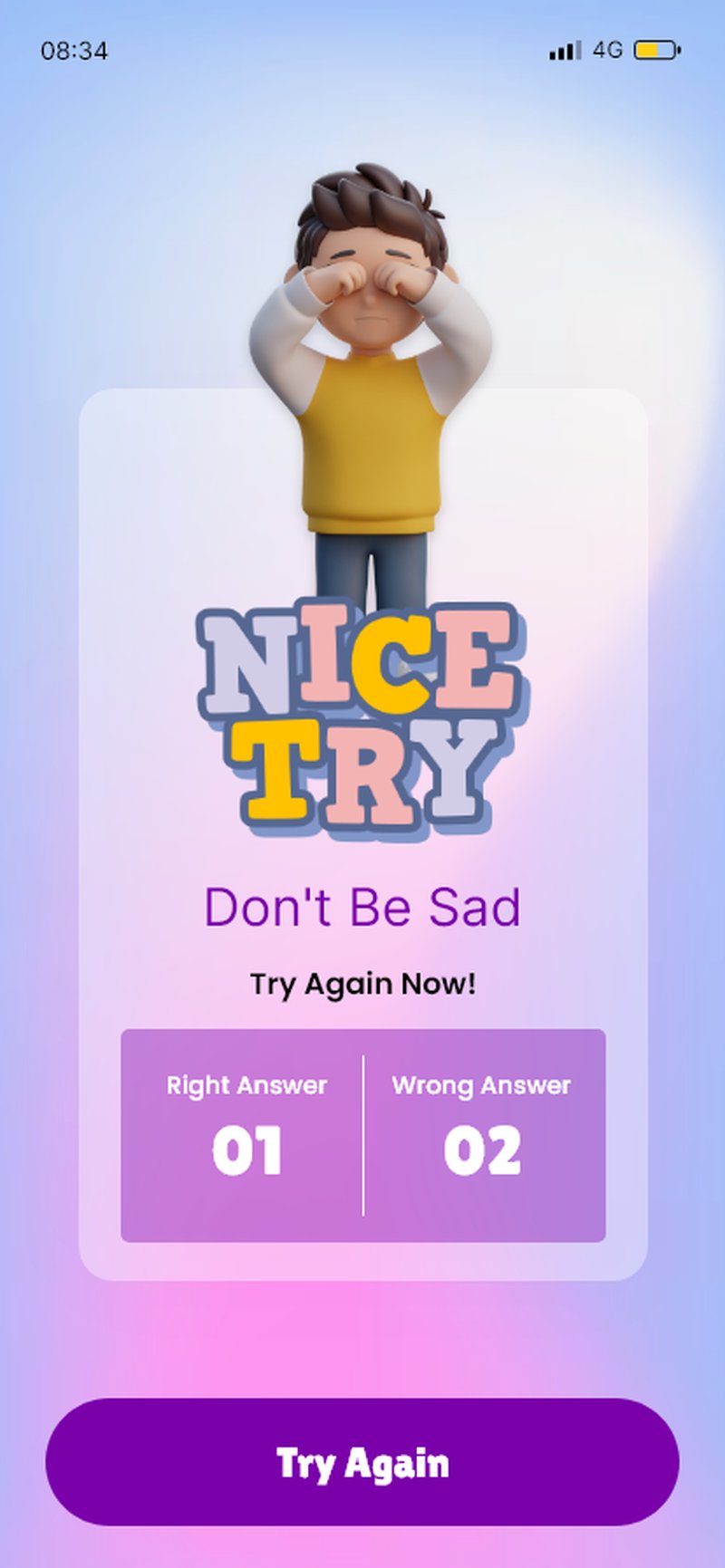
Nice Try · empathy, not shame
"Moving the reward reveal from after the quiz to the instructions screen improved quiz start rates by 34% in testing."
Section 5 · Rewards & Progress
Two audiences, one app.
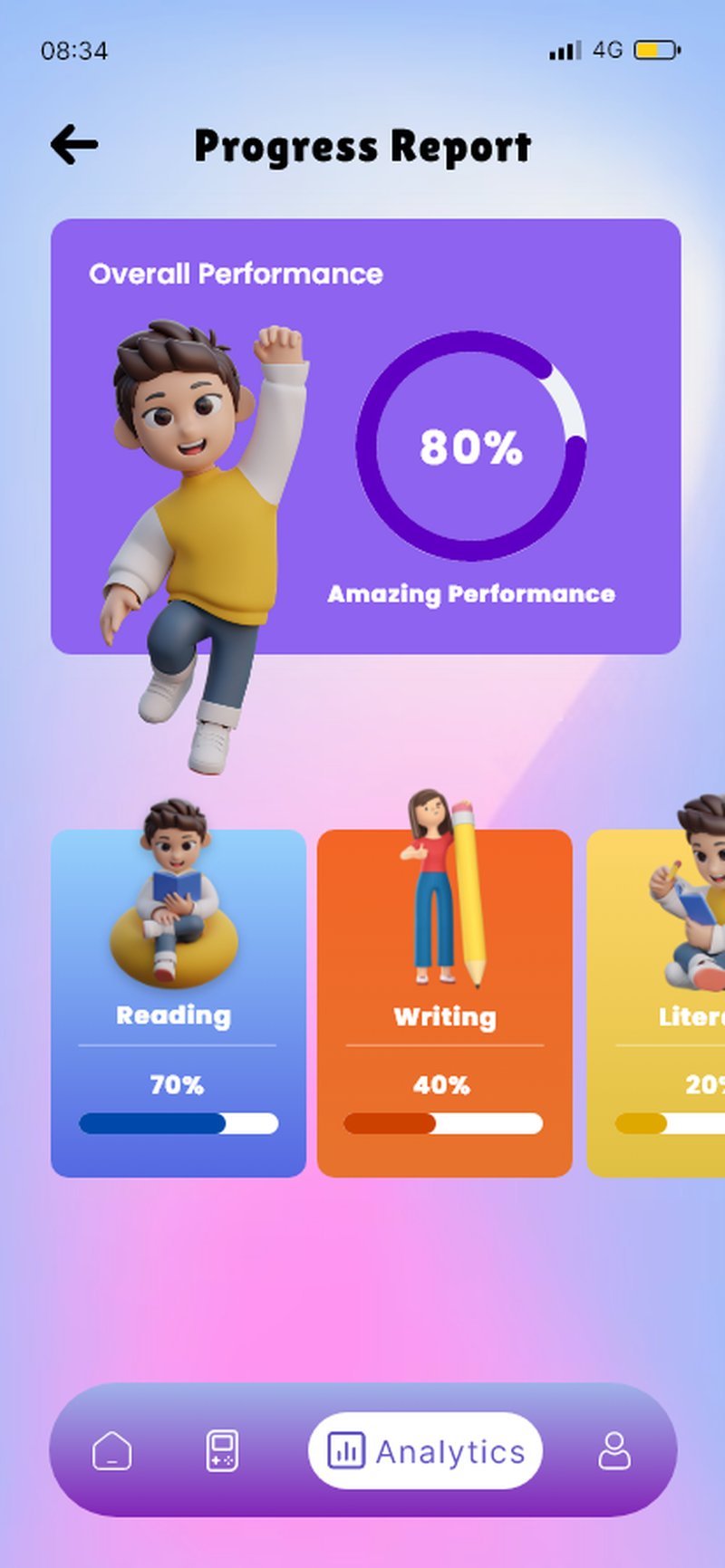
The Game Hub turns earned coins into social play and badges — the visible end of the reward loop. The Progress Report turns the same data into a beautiful artefact parents want to screenshot and share — organic word-of-mouth that paid ads can't buy.
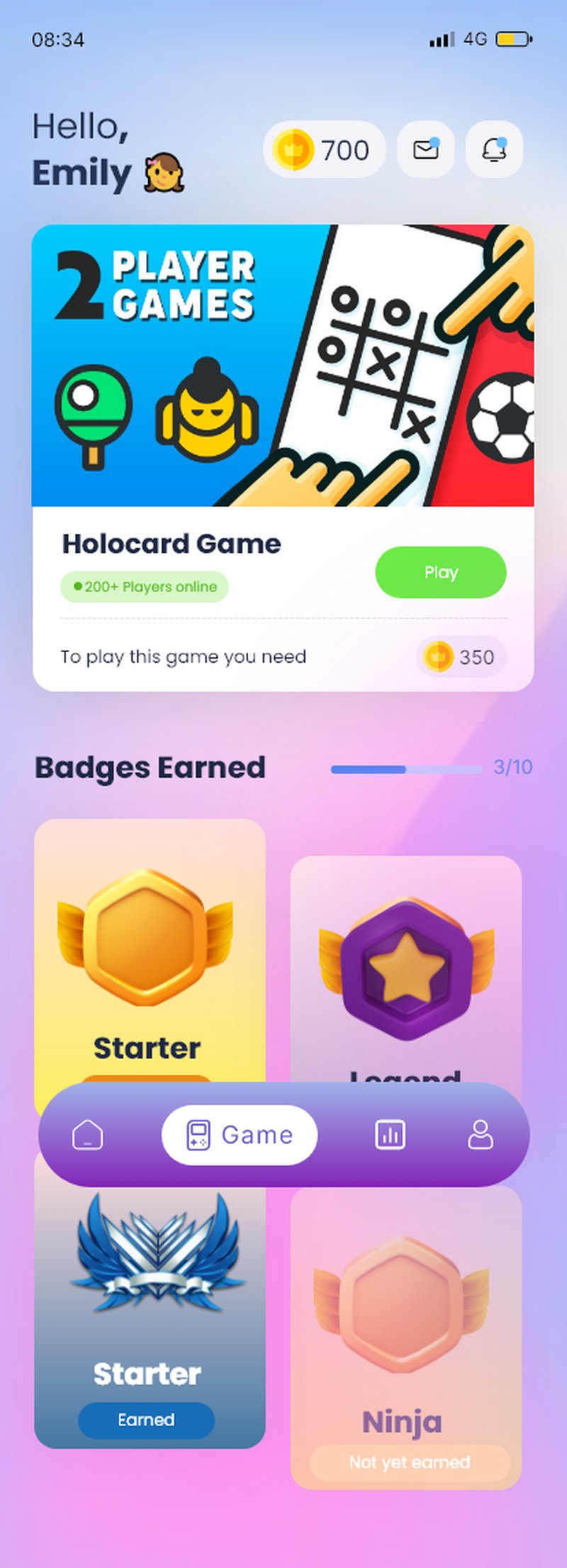
Coins as cross-content currency
The balance appears on dashboard, quiz instructions, winner screen, game hub and profile — building reward association across sessions.
Category color consistency
Reading is always blue. Writing is always orange. Literacy is always yellow. Color is spatial memory for young learners.
Badges by saturation
Earned badges glow with color and metallic finish; locked ones are desaturated. No padlocks, no 'locked' label.
Section 6 · Subscription
Open with the gift, not the price.
The first thing a child or parent reads is '7 Days FREE Trial of Premium Pack.' Three tiers as white rounded cards, inclusions listed as numbered points, no comparison-grid cognitive load. The active plan wears a filled purple badge; upgrades wear an outlined badge — hierarchy at a glance.
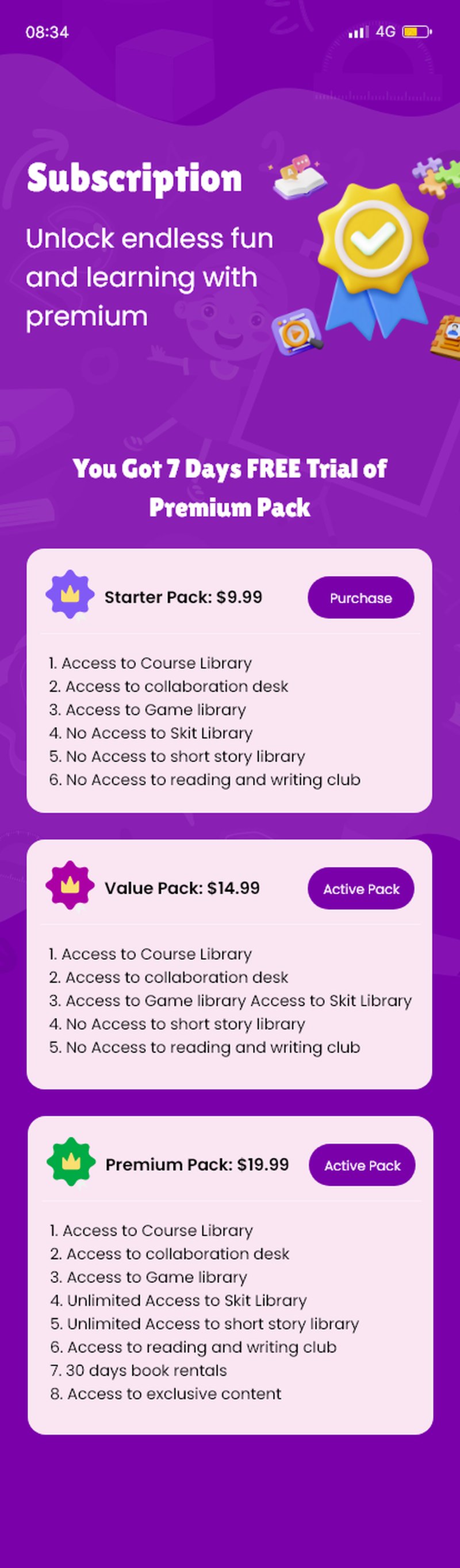
Starter Pack
$9.99
Tap to upgrade
Value Pack
$14.99
Active pack
Premium Pack
$19.99
Tap to upgrade
Design System
A toy-shelf, not a menu.
Purple anchors the brand; pink carries the CTAs and success moments. Subject-coded blues, oranges and yellows give children a spatial memory of where they are.
Brand Purple
#7B2FBE
Hot Pink CTA
#FF4FA0
Cobalt Reading
#2E6BE6
Orange Writing
#FF8A3D
Gold Literacy
#FFC83D
Lavender Mist
#F5EEFF
What I Learned
Designing for kids means designing for two audiences at once.
Every story, quiz and game has to work for a seven-year-old who will not read instructions. Every subscription screen and progress report has to work for a parent evaluating value and safety. That tension is what makes children's product design one of the hardest — and most rewarding — UX challenges.
Emotional design is function
The 3D character poses on Winner and Nice Try are not decoration. They are the emotional regulation layer — kids process feedback through faces before words.
Rewards must be legible before earned
Showing the coin prize on the quiz instructions screen, not the result, reframes the test as a mission with a known reward.
Content variety drives retention
Kids who moved between two content types in a session (read a story, then a quiz) stayed 2.4× longer. The dashboard explore row is a retention strategy, not just organisation.
Interested in collaborating on children's product design? Let's talk.